
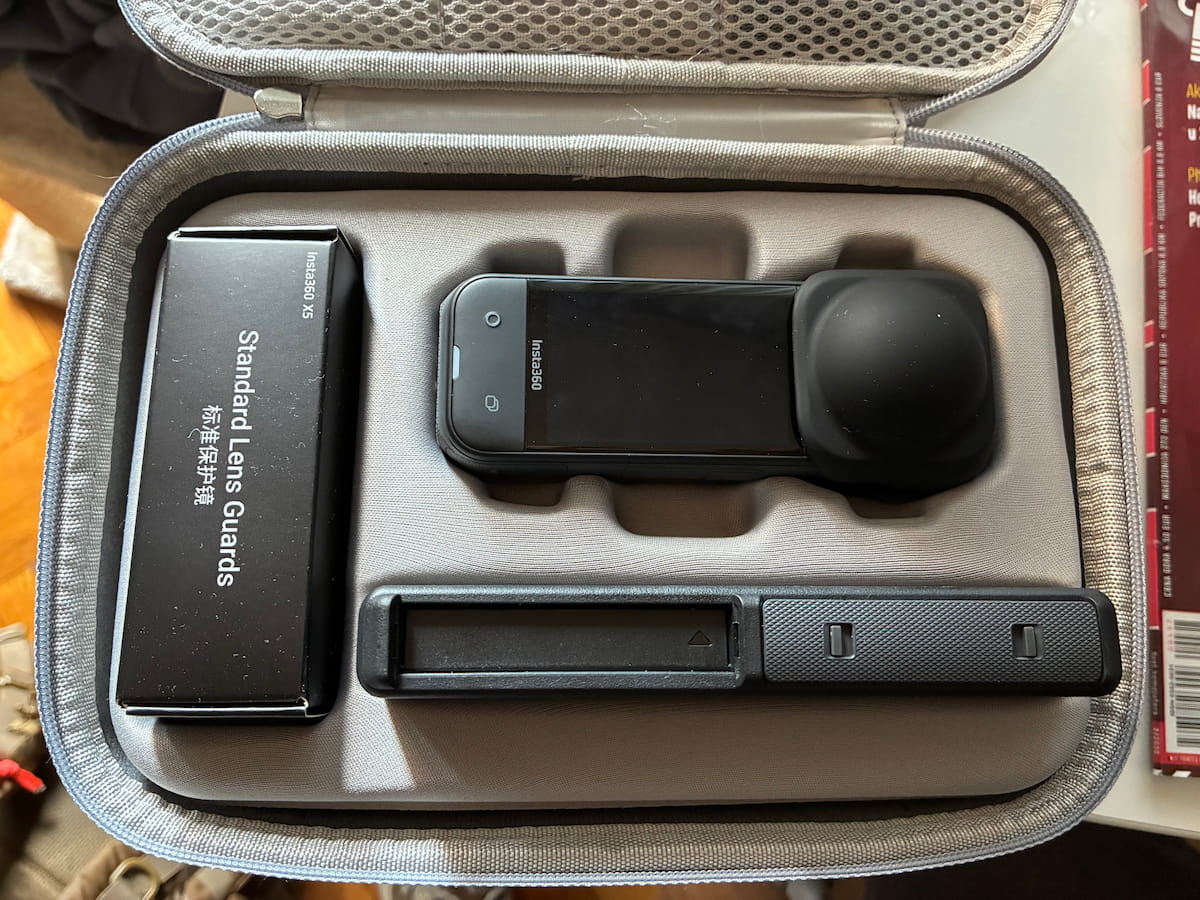
This is not your typical review – it is my notes with all the pros, cons, settings and peculiaritites written down as a reminder and reference. It may help with your buying decision, but that is not my primary goal or concern.
Update after four months: it broke, and is designed to break – see below.
Relevant BikeGremlin forum discussion thread:
https://www.bikegremlin.net/threads/insta360-x5-design-flaw.709/
Update after 4 months of use
The camera broke at its mount after only four months of not much and not hard use, no dropping, or anything (just using the Insta360 original bicycle stem holder):
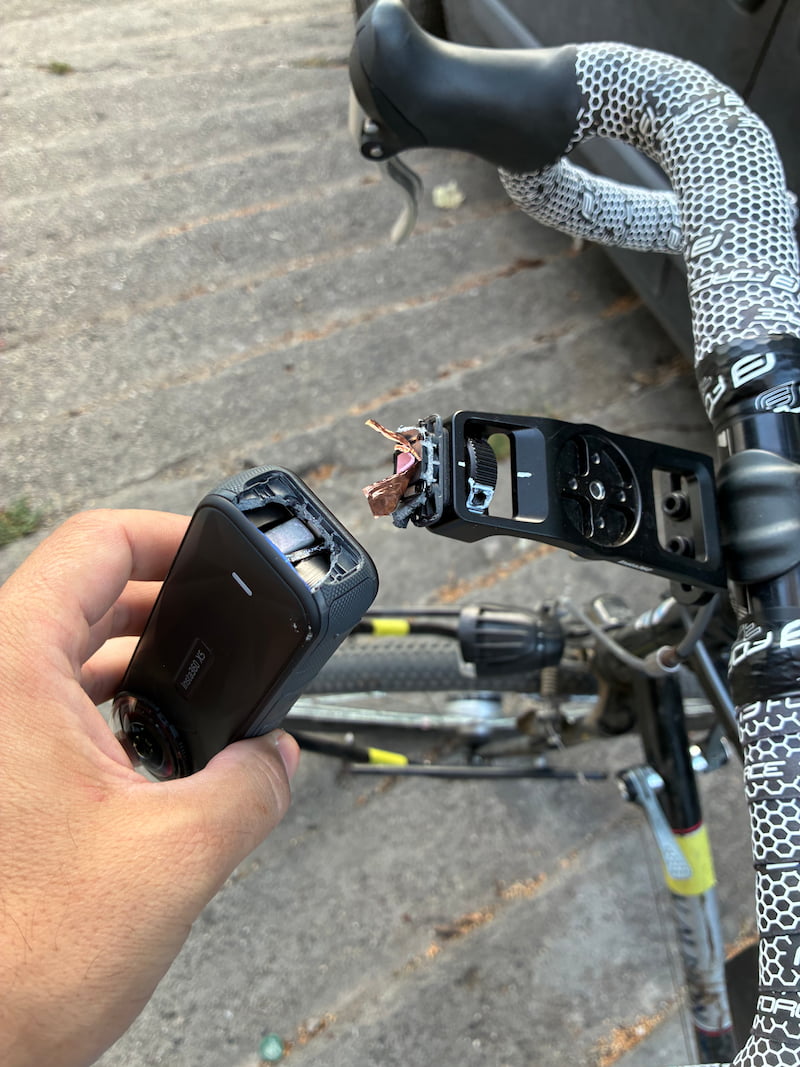
I did some gravel riding and some city riding. Only used the original Insta360 mounts. Never dropped or hit it. Took good care of it. But it did use it to record the riding action – it is an action camera. Road vibrations alone were enough to break it, after only four months of occasional (i.e. not daily) use.
The problem is its design flaw: the camera has a small steel plate with a threaded hole at its bottom and that is used to screw it onto the holder. However, the steel plate is just glued/molded into plastic (weak and brittle compared to steel). With the camera being relatively tall and top-heavy, stress concentrates at that point and it is bound to break – just a matter of time.
Insta360 refused to do a refund stating that the small print at the bottom of the product page states that the bicycle stem holder is only good for slow riding on nice paved roads (check the product page for the exact wording).
I find this to be fraudulent because all the advertising is done with mountain bikes, skiers jumping, motorcycles riding – so it is clearly advertised as an action camera, not a hand-held camera that needs to be babied.
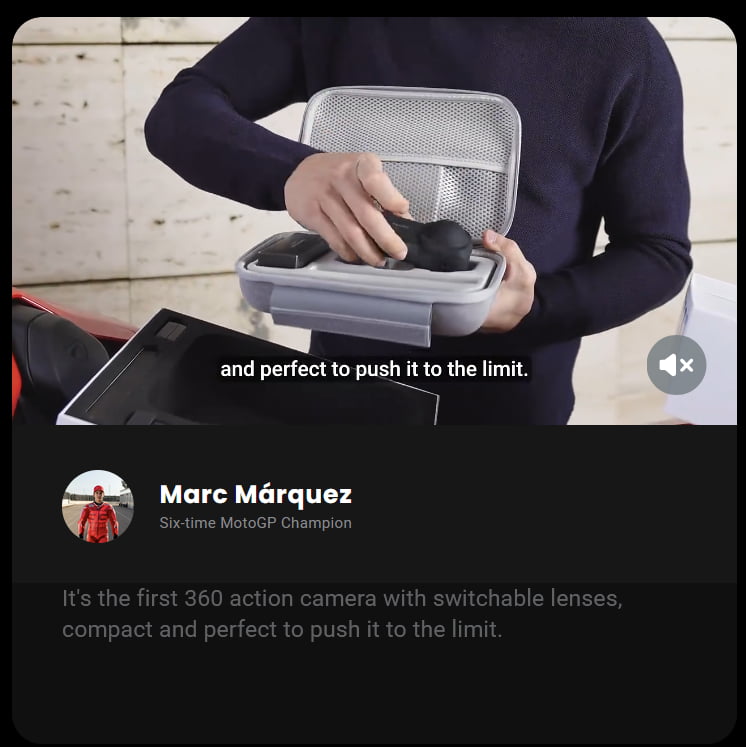
Again, any mechanical engineer worth their salt will confirm that this design is bound to fail. Insta360 manufacturer is clearly aware of this flaw because of the way they cover themselves with paperwork and fine print.
Video explanation of the design flaw
I made a video showing and explaining the design flaw that causes these cameras to break:

Customer support nightmare
Having received another message from Insta360 staff, I wish to add this:
I have decades of experience with providing technical support and troubleshooting. I know very well that asking for specifics and details is necessary despite it also often being frustrating for customers who are having a problem.
So, with this experience and knowledge in mind: from the very first contact with Insta360 staff regarding this breakage, I got the sense they are stalling and trying to grasp any technicality they could to decline any refunds. They were definitely not looking for specifics for troubleshooting, they were looking for catches to refuse warranty.
In other words: not for a moment did I get the impression that they will see how to make this right, even if it requires a bit of compromise on my end too (not just on their company’s end). No. I got the feeling that they will try to gaslight me, ignore the issue and refuse any refund.
Turns out that impression (and gut feeling) was right. Insta360 refused to refund me, and also added insult to injury by blaming me for the problem. They did offer a 50% discount on repairs and that is highly cynical for three reasons:
- They are well aware of Insta360 X5 design issue that makes it prone to break again and again.
This is implied by their small-letters-end-of-page catches about riding only slowly on nice roads in order to not have your warranty be void – for an action camera, yes! - Hence, repair would have just “bought” another week or month of use before the breakage happens again (unless I baby the camera in my hands, instead of using it as an action camera).
- Their offer still requires me to pay more money to the company (or the repair company – but putting more money into this product nonetheless).
You can see the full final email reply I got refusing the warranty/refund here:
https://www.bikegremlin.net/threads/insta360-x5-design-flaw.709/#post-3049
Revised conclusion
Based on my recent first hand experience with the product and the treatment from Insta360 company, I no longer wish to give them any money nor do any business with them after this.
With all the MTB and motorbike advertising material and countless apparently paid influencers etc. it is clear that this company is misleading customers about their product.
For less than $1000, they have decided to do everything wrong. That’s on them.
With a bit of luck and good health, I will save for another action camera – probably a GoPro, and see how that fares. Whatever I do, I try to not be like Insta360.
What it is and video reviews
It is an action camera that captures 360 degree image and lets you pick the frame during editing.
I also made videos for showing and explaining:
- Installing phone software, updating firmware and unboxing Insta360 X5
- Explaining why it’s not really 8K – Insta360 X5 camera review
- Image stabilization with a handlebar mount – demo
Camera has a relatively small sensor and gets pretty hot when 8K recording – even with most AI stuff turned off (those options are disabled by the camera software for 8K recording).
Sensor is smaller than one inch. Previous model X4 had 1/2″ sensor.
X5 has 1/1.28″ – as an honest lady could tell you: regardless of how technical you get, that is still too small!
Recording presets
The presets I use (and their respective icons in camera’s menu):
- Motorcycling (day action)
Shooting mode: 360° / Video
Resolution: 5.7K
Framerate: 60 fps
Active HDR: Off (disabled works fine) - Biking (night action)
Shooting mode: 360° / PureVideo
Resolution: 5.7K
Framerate: 30 fps - Outdoors (and workshop videos)
Shooting mode: 360° / Video
Resolution: 5.7K
Framerate: 30 fps
Active HDR: Off
Battery runtime
I took a new (less than a few weeks and few charges) battery. Charged it to over 90%.
After 84 minutes of mostly 5.7K @ 60fps with Active HDR recording my riding and wrenching, the battery went down to under 10% charged.
In detail, I recorded a set of 5.7 K videos:
- Two 30 fps videos showing bike fixing (stationary) lasting ~17 minutes
(15:28 and 01:34) - Four 60 fps + Active HDR videos of riding (action) lasting ~67 minutes
(08:32, 10:33, 39:08 and 09:13)
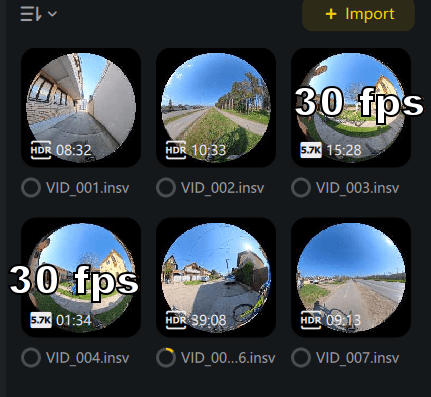
During this time (one day), battery went from over 90% to under 10% charged.
So, under hour and a half per battery charge at 5.7K. 8K videos drain battery even faster. I suppose that disabling Active HDR should preserve battery noticeably, but depending on the sun’s position and shadow depth, the resulting image quality may suffer (needs further testing).
I have also tested 5.7K @ 60fps without the Active HDR. Will compare video quality. In terms of battery lifetime, I got similar results (around one and a half hours to get the battery from 87% to 10%).
Recording 5.7K @ 30fps without the Active HDR got the battery from 84% to 5% in 1 hour and 50 minutes, so slightly longer but nothing to write home about IMO.
Conclusion?
Since battery connections are incompatible with the previous models, the manufacturer could have used the chance to increase battery capacity by more than only 20%. However, like smart capitalists, they chose to make money (they can sell larger capacity with newer models one or even two generations later as an improvement).
File copy from camera
When charging is enabled, the speed is disappointingly slow at just over 50 MB/s.
To confirm, I tested using the same USB PCIe card (StarTech PEXUSB312A2C2V), very same port and cable, same target drive (Samsung 990 PRO NVMe SSD) with Samsung Portable SSD T7 Shield drive and it reached well over 700 MB/s easily.
When charging is disabled, I got the same results.
This is as fast as it gets in terms of data transfer speed – copying one big file, not many small ones.
Editing / export options
- “Dewarp“: Best for outdoor/riding videos to reduce fish-eye distortion.
- “Linear“: Best for indoor/workshop videos. Keeps lines straight and looks more natural, despite the narrower Field of View (FOV).
Anti-AMD: Software Insta360 Studio
With 8K 30fps it Works awfully slowly on my powerful Ryzen 9 + AMD RX 6800!
So, if you aren’t rich, you won’t have a very good time with (editing footage from) this camera… checked prices of Nvidia graphics cards… or Mac computers for that matter.
Phone software keeps nagging at you to buy Insta360 storage. Like spam.
Accessories
Compatibility chart I checked for connecting with microphones (Hollyland Lark M2 is what I got):
https://onlinemanual.insta360.com/x5/en-us/faq/compatibility/external
Insta 360 German store links for what I got so far (I got most stuff including the camera itself from local discount stores but if you aren’t in Serbia, that info is useless for you):
- Premium lens protection (German store) 45 € – to prevent breaking the lenses:
https://store.insta360.com/de/product/x5-premium-lens-guards?c=3910&from=accessory - Spare lenses (Lens replacement kit) 55 € – if you still manage to break ’em:
https://store.insta360.com/de/product/x5-replacement-lens-kit?from=products_recommended - Mount for bicycle stem 45 €:
https://store.insta360.com/de/product/bike-computer-mount?c=3444&from=accessory - 512 GB Micro SD card 150 €:
https://store.insta360.com/de/product/memory_card?c=2993 - 114 cm invisible selfie stick 30 €:
https://store.insta360.com/de/product/selfie_stick?c=6199&from=accessory - X5 Utility Fast Charge Case 70 €:
https://store.insta360.com/de/product/x5-utility-fast-charge-case?c=3923&from=accessory - X5 spare battery (2400 mAh @ 3.89 V) 50 €:
https://store.insta360.com/de/product/x5-battery?c=3914&from=accessory - X5 Lenses cap (rubber protection… for the camera) 10 €:
https://store.insta360.com/de/product/x5-lens-cap?c=3915&from=search-results - X5 Transport bag 30 €:
https://store.insta360.com/de/product/x5-carry-case?c=3920&from=accessory
As you can see, unless you source deep discounts and bundles, it adds up pretty quickly costing an arm and a leg.
| Item | Description | Approx. price (€) |
| Premium Lens Guards | To prevent lens damage | 45 |
| Lens Replacement Kit | Spare set for when you still manage to break them | 55 |
| Bicycle Stem Mount | For secure mounting on the handlebars | 45 |
| 512 GB Micro SD Card | High-speed storage (5.7K files are still massive) | 150 |
| 114 cm Selfie Stick | The “Invisible” stick for the 360° effect | 30 |
| Fast Charge Case | Utility case for rapid charging (2 slots) | 70 |
| Spare Battery | 2400 mAh (always carry a backup) | 50 |
| Lens Cap | Basic rubber protection for transport | 10 |
| Transport bag | To not lose or damage it as easily | 30 |
| Total | The price of a decent second-hand bike | 485 |
X5 Utility Fast Charge Case notes
Supports PD fast charging – charges one battery to 80% in just 28 minutes. Dual battery slots with independent power management to prevent overcharging.
Charging indicators
flashing yellow <80% | flashing green >= 80% | solid green 100% charged
Charging priority
- First charges an external device if (Insta360 X5 or whatever you connect) – then batteries once the external device is 100% charged.
Must have at least one 20+ % charged battery to charge an external device. - Then charges the fuller battery to 100% when two batteries are inserted.
Conclusion
I am using this camera – and will keep this up-to-date as I learn new stuff.
Update: camera broke after only four months of normal use. See the update above for details and my revised conclusion.
Last updated:
Originally published:
