
I’m using this service – and these are my notes, with all the details. Work in progress – updating it as things change.
Promo page that should provide you with 50 € of credits if you’re a new Hetzner customer (not affiliate – I get nothing for this):
https://www.hetzner.com/promo-code
Why?
There are three choices I made here:
1. Use Nextcloud – as opposed to some other storage and CardDAV service.
2. Use managed – as opposed to self-hosted Nextcloud service.
3. Use Hetzner – as opposed to any other managed Nextcloud service provider.
Why Nextcloud?
I want to securely backup all my contacts (address book), and conveniently sync and update them across different devices and operating systems. While at it, I like being able to do the same with my calendar(s) and tasks.
Nextcloud looks like the most reliable source of truth for contact (and calendar) updates. It’s not ideal, especially if you make the mistake of updating it to the latest version, but when done correctly, it’s good (see my problems with CardDAV for details). This leads us to the next section:
Why managed Nextcloud?
After my experience with self-hosted Nextcloud, I have concluded that it’s not worth it. Why?
- Nextcloud tries to do too many things – even with “just” its “featured apps” (i.e. “core apps,” more-less “officially supported”).
- Nextcloud does not perform nearly enough beta-testing before releasing updates (goes for both the “core,” and the apps).
Trying to keep Nextcloud running takes a relatively large amount of time and effort. Some folks like fixing their commuter bike every month (or even week). I prefer stuff that works – with just regular maintenance (and as few surprises as possible).
Managed Nextcloud service should take care of Nextcloud installation, security, and updates. In a similar way to how your shared or reseller hosting provider will update Linux, LiteSpeed and other stuff – so you can concentrate on building your website.
Why Hetzner managed Nextcloud?
For more details – I tested a few different providers and published those notes on my forum:
https://www.bikegremlin.net/threads/nextcloud-providers-compared.663/
Briefly put:
- I’ve had great experience with Hetzner Storage Box (SFTP storage service).
- Price for the Hetzner Storage Share (managed Nextcloud service) was very affordable compared to all the other alternatives I could find.
General info and impression
Seems like Hetzner folks know what they’re doing – and respond to support tickets within a few hours on workdays (fair to note that I’ve never had a problem be caused by Hetzner’s service, never opened a ticket for something they needed to fix at all – let alone an emergency fix).
Supported version is one major release behind, the latest stable version (like 31.0.13 when 32 is the latest Nextcloud version).
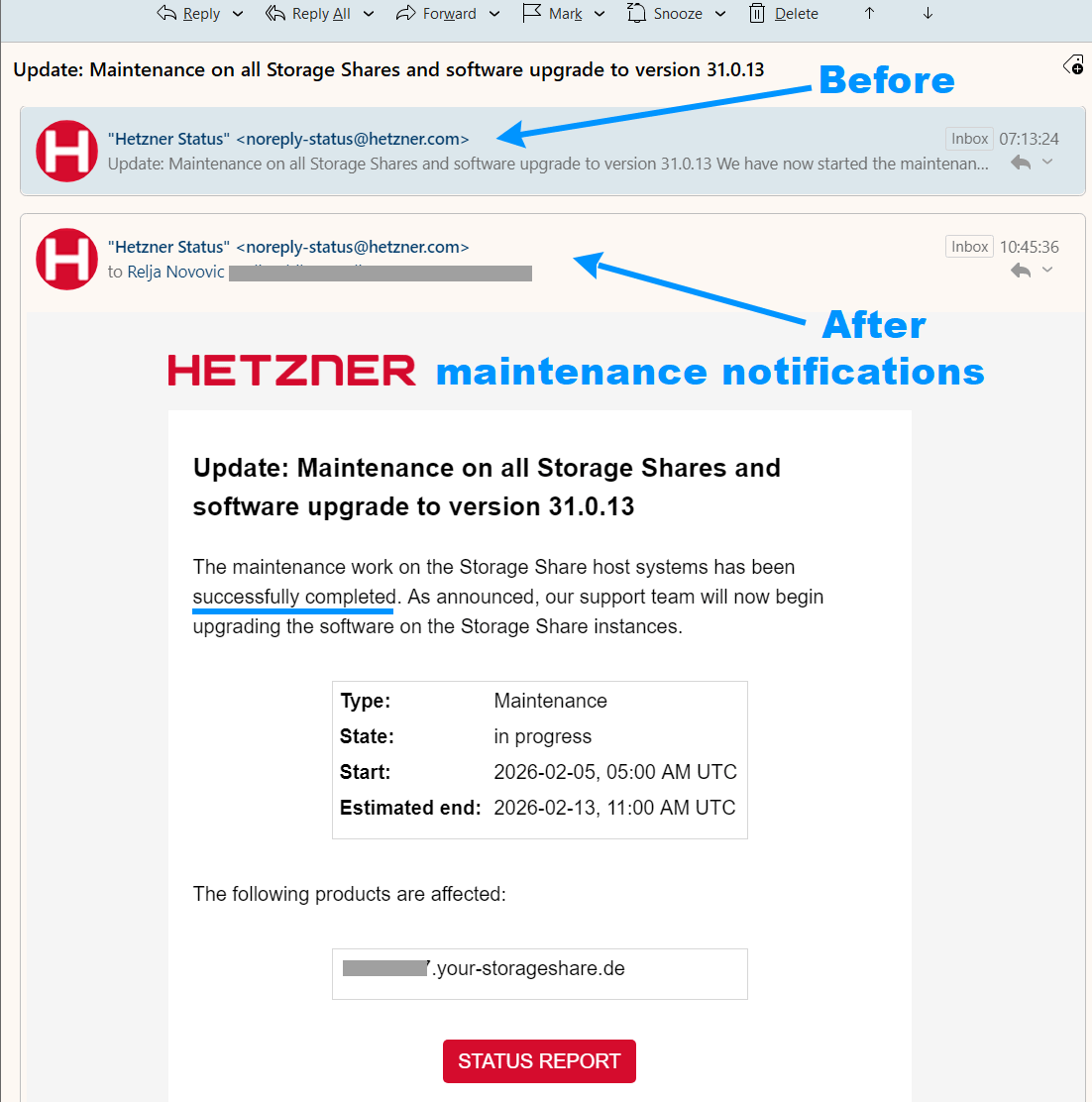
A nice thing is the heads-up for any maintenance/updates (days ago, and on the day it is planned to start) – and an email once the maintenance/updates are finished:
Updates – core and apps
Update, March 2026:
All the apps I am currently using (would list them all under “core Nextcloud apps”) get updated when Nextcloud version is updated (to the stable version tested by Hetzner, so one whole version behind the very latest). This is good and reasonable way to handle updates for the standard apps and I could not ask for more.
The good
It’s secure and stable!
No rushing the latest & greatest version, but no crashes and untested core versions.
Backups
6-hour backups for each day over the past 7 days.
Yeah, it would be even better if backup frequency was feathered, but total period longer. Like 6-hour backups for only the past 4 days, with at least one daily backup for at least 7 days and one weekly backup for the last 4 weeks (so the same total number of backups) – but this is not too bad either.
For backups, Hetzner creates ZFS snapshots of each Storage Share (separately) on a different host machine. Details:
https://docs.hetzner.com/storage/storage-share/faq/backup-snapshot/
Freedom – access rights
Hits the sweet-spot between feeling like self-hosted Nextcloud admin, and not being allowed to easily mess things up. 🙂 The platform is fairly liberal in terms of extra apps you can install, and number of users you can add – but it won’t let you install latest Nextcloud core version, or app versions not supported by your core version.
My setup
Branding
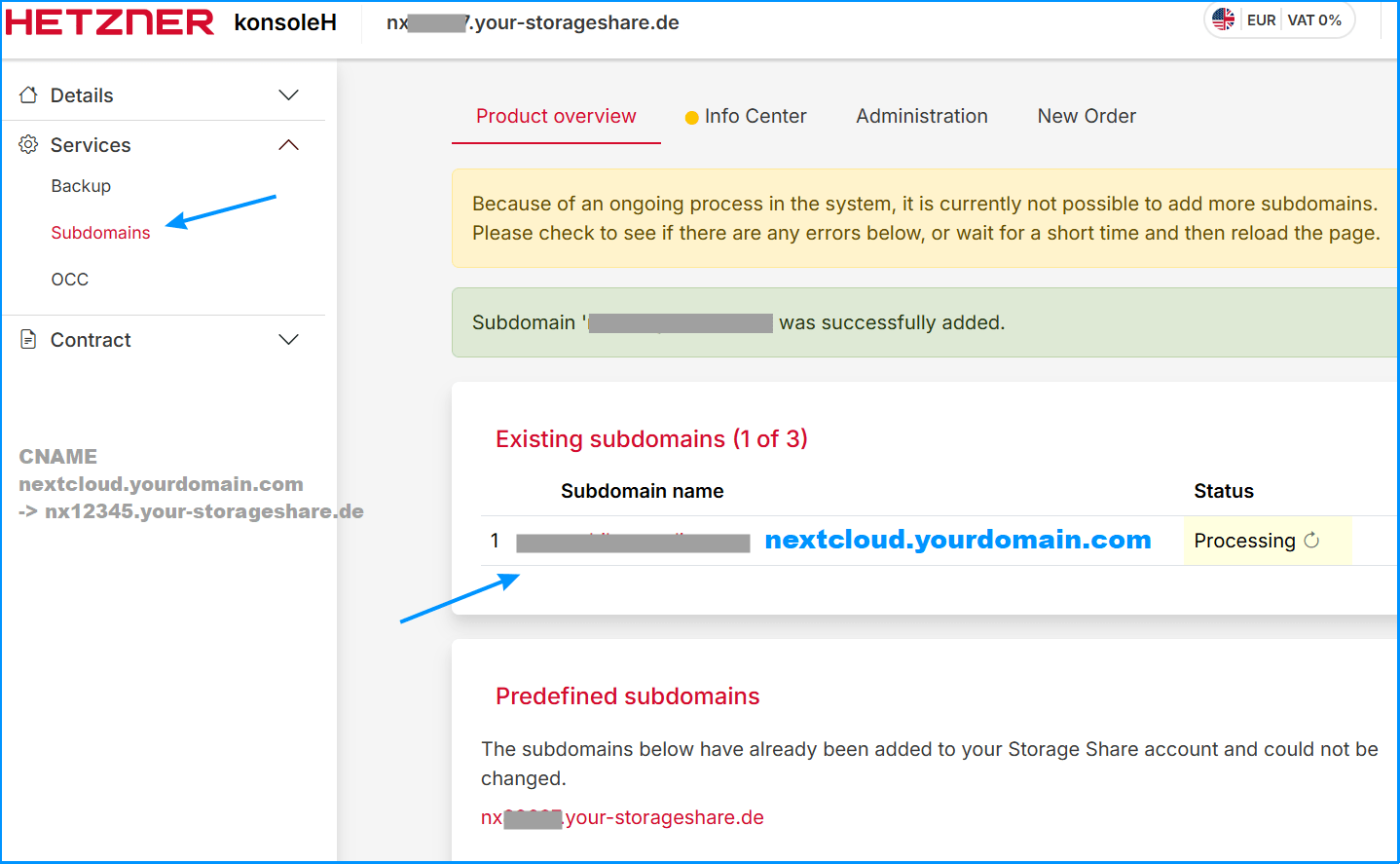
I could configure branding (custom domain, favicon, logo and all). I like to tell my clients exactly what they’re buying, but I also like to make it clear that they’ve logged into the right place (phishing attacks should not be underestimated).
Basic apps
Contacts, Calendar and Tasks apps were not enabled by default! But, I could easily enable apps per my liking. The apps enabled by default are conservative (Photos, Files, and Activity), and that’s good (don’t enable what you don’t need).
On my self-hosted personal Nextcloud I had disabled the Comments app, but here I’ve enabled it for clients might find it useful when sharing files (it is lightweight and “core”). I’ve also enabled Privacy, and Files download limit apps. However, I have disabled most stuff to keep things simpler and more stable:
My disabled apps list
- Client Push – needless extra load.
- Contacts Interaction – email clients and phones should handle the “who I last contacted” stuff.
- Dashboard – needless extra screen that uses some resources.
- First run wizard – needless bloat.
- Monitoring – pointless for a managed service.
- Nextcloud announcements – I can email clients if I need to.
- Nextcloud webhook support – I don’t want it talking to other apps (this is not for CardDAV sync).
- Related Resources – UI clutter with questionable workflow gains.
- Support – button that doesn’t link to my email or phone, useless for clients (or for me).
- Update notification – hate those red buttons, I will check for updates on my own.
- User status – another pointless UI clutter.
Antivirus app
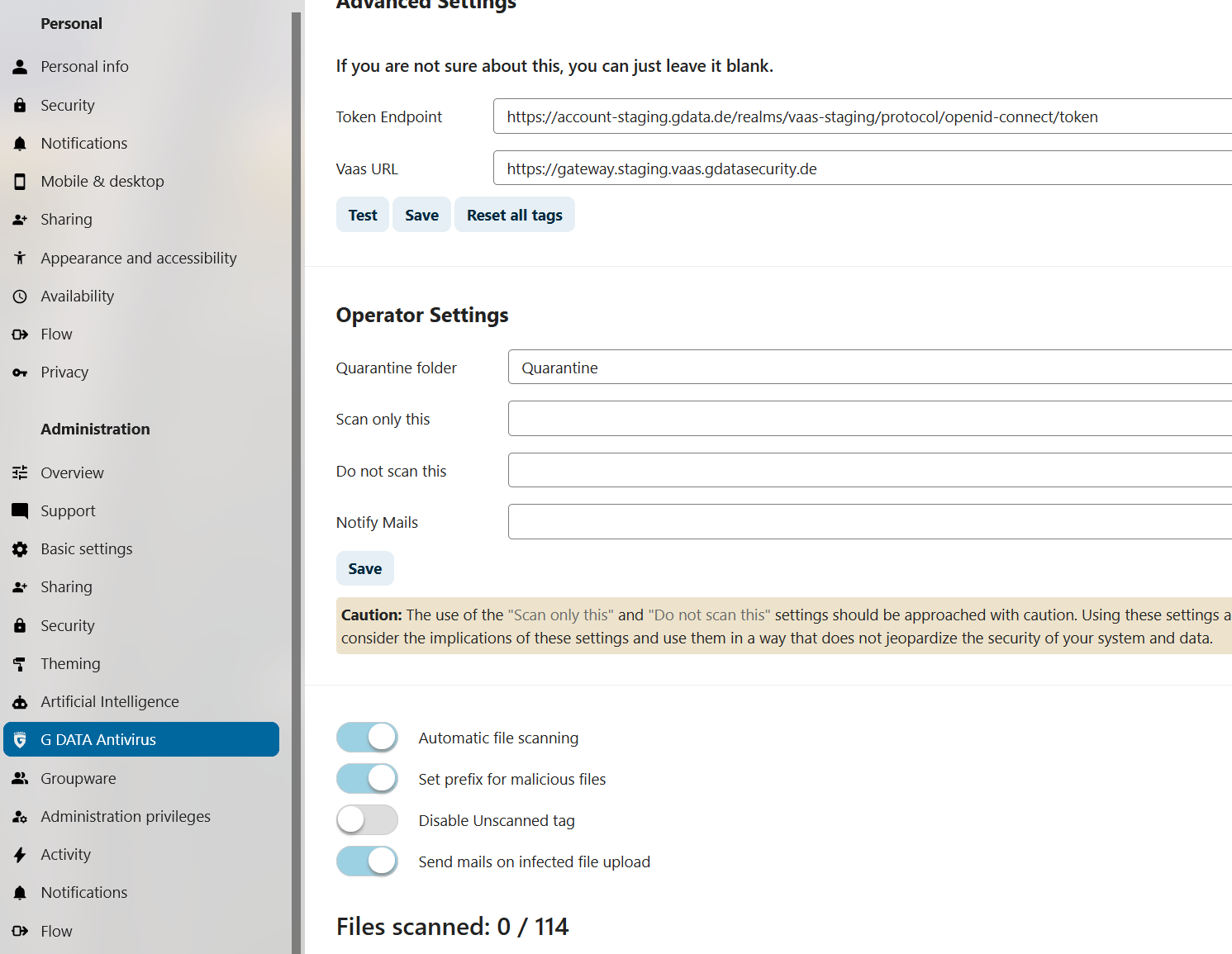
In the apps menu, I could “Download and enable” the G DATA Antivirus app.
https://apps.nextcloud.com/apps/gdatavaas
To get this to work I had to register through the application’s menu. It is pretty nicely explained and simple. After that, I was able to confirm the API connection is working and to configure the antivirus:
Deck app
I have decided to enable the Deck app. Will see how it fares, but for now it is looking promising for organizing my bicycle repair work and scheduling.
More on that on my forum:
https://www.bikegremlin.net/threads/repair-service-scheduling-nextcloud-deck.679/
Prices
Hetzner offers Storage Share as their managed Nextcloud service:
https://www.hetzner.com/storage/storage-share/#pricing
- NX11 with 1000 GB of storage and no limits on the number of users
€4.5 monthly - NX21 with 5000 GB of storage
€15 monthly - NX31 with 10,000 GB of storage
€28 monthly
Pricing page:
https://www.hetzner.com/storage/storage-share/
Nextcloud peculiarities
Not related to the particular Hetzner managed service – but this is a good place to put ir for now.
CardDAV contacts formats and compatibility
Based on what I’ve seen so far, Nextcloud is the most reliable “source of truth” for editing/updating contacts.
I can add a new contact using eM Client or using iPhone – no problems. But, if I wish to edit or update a field – and make sure that it is properly synced accross all systems and devices, Nextcloud web interface is the place to do it!
eM Client, for example, has no explicit “Display name” field – so depending on how you edit a contact in eM Client, that may or may not be populated as you wish.
However, Nextcloud lets you explicitly edit the “display name” field (right on the top of the contact) – and that gets properly synced to eM Client, iPhone and all the other devices and apps.
Note:
When using Nextcloud to create a new contact, to manually add name details (first and last name separately, middle name if needed etc):
+ Add more info -> …More fields -> Detailed name
Conclusion
As a man falling off a ten-storey building says: “so far, so good.”
I will keep this up-to-date in case of any changes.
Last updated:
Originally published:
