

Software (applications) that I use for various taks – shortlist of “the-best-for-my-use-case.”
I will note it explicitly if a piece of software doesn’t work on both Linux and Windows.
FOSS stands for Free Open Source Software.
Note that this list is a living document and will be updated as my setup changes.
This article is for my own reference (why I write articles like this), and for those who want my advice – there’s no more honest recommendation than what I actually use and pay for.
Since I’m publishing this online: these are my own experiences and opinions, based on what I’ve learned and tested. Nothing more, nothing less.
Articles in this series:
- My Hosting stack
Infrastructure – domain registration, DNS, website and email hosting. - My (backups) Storage stack
Storage – physical and cloud. - My OS & System Software stack
Computer-running – OS, drivers, security, diagnostics, and utilities. - My Application Software stack
Computer-using – writing, editing, playing media, and troubleshooting. - My Wordpress stack
Themes and plugins I use for making sites. - My Zettelkasten System (BikeGremlin Deathnotes)
Knowledge management system (“2nd brain”) - My PC Component Selection
Components I chose for my PC – and why
1. Communication & Productivity
Email clients
Betterbird (FOSS) for emails on desktop (and IOS built in email client for the phone).
In 2026, I started using eM Client on Desktop – available for Windows (and Mac) only, no Linux version. It is paid (one-time lifetime business licence is what I bought), but it is more practical than Betterbird and saves time.
See here for more details:
https://io.bikegremlin.com/38226/my-email-setup/#3.2
Web Browsers
- Firefox (FOSS)
Ublock Origin still works on it, and it’s best for watching sites and Youtube without ads.
Firefox is sponsored by Google to help Google hide their monopoly position, but it still works for blocking ads. 🙂 - Chrome
Still most widely used globally, so sites I work on must be confirmed to work fine in this browser.
Yes, I know about Brave browser – it’s shady, I call bullshit on their privacy talks (my opinion, I could be wrong – for context see this Reddit thread for a start).
Note taking and Text editing
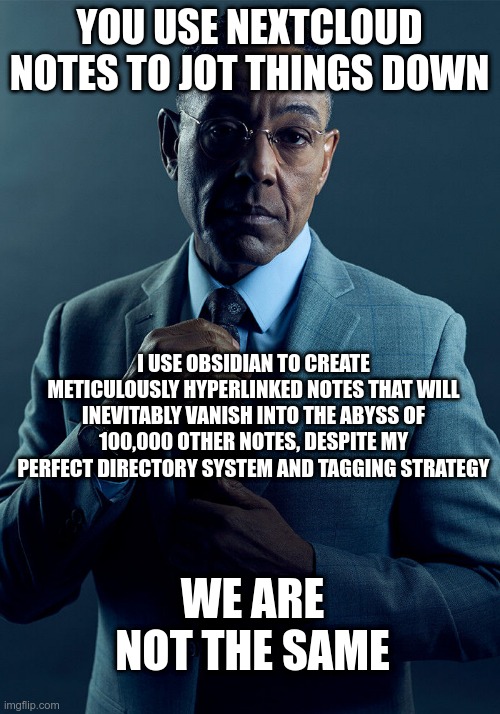
I use Obsidian for my Deathnotes.
Software itself is free (though not open-source), but I am paying for the “sync” option since it is so good, clean, fast and hassle free, allowing me to use my notes wherever I go (phone, home PC, work PC, workshop laptop…).
For text editing I use Kate (FOSS) on Windows and Sublime Text editor on Windows. Neovim (FOSS) gets a honorary mention, but not much use from me. 🙂
Office software
Libre Office (FOSS) has served me well over the past decade and I never looked back to the MS Office or other alternatives.
Update 2026: I started using ONLYOFFICE (FOSS) because it is better at preserving original layout of Microsoft Office made documents (and it loads a bit faster).
Cloud & sync
Managed Nextcloud (FOSS) is good for syncing (and backing up) my contacts (address book) and calendar (tasks and schedules).
2. Security, Credentials, and Privacy
Password managers and 2FA tools
My No1 password manager and 2FA tool is KeepassXC (FOSS) for PC and Keepassium (FOSS) for IOS (with a one-time small payment for autofill and other extra features).
Bitwarden is good for PC auto-fill, (and is fine with the free tier for now) but my main password manager remains Keepass.
For 2FA on mobile, I use Ente Authenticator (FOSS).

Encryption
Veracrypt (FOSS) for local drives and Cryptomator (FOSS) for encrypting cloud-stored data. I already noted Rclone crypt under my system software stack article.
VPN
Windscribe is my go-to VPN service. They have a moderate free tier, but the pricing is reasonable, starting from $3 per month (static IP with a port forwarding option is $24 per year).
3. Creative & Editing
Photo/image editing
- For photo & image editing, I run Pinta (FOSS), and sometimes, on Windows only, Paint.net (free, but not open-source).
- For vector images, I use Inkscape (FOSS).
- Honourable mention for the sK1 portable Corel file editor (FOSS, but apparently no longer maintained).
Video editing
Davinci Resolve Studio is my go-to tool for this, and it’s Windows (or Mac) if you want it to work well. Cost me almost $500 and took a couple of months to buy a licence (to the point where I started seriously considering to just pirate it), but it’s a one-time payment (for now), and it is the best least bad (has bugs too) of all the free and paid alternatives I’ve tried.
US-readers won’t have problems buying Davinci Resolve Studio online, but for us “foreigners” it is by far the most frustrating, slow and complicated software purchase I have experienced!
Miscellaneous
Sweet Home 3D (FOSS) is good for arranging spaces – like workshop or house layout design. Very simple and intuitive for making rough drafts and figuring out where to put stuff (like my old Walther PP – surprisingly helpful in tight spaces! 🙂 ).
4. Utilities & Troubleshooting
See my system software stack article for file managers and diagnostic utilities.
ISO & Virtual drives
- Rufus (FOSS) is great for making bootable USBs on Windows.
- Ventoy – great for making bootable USB sticks and drives that let you simply copy and delete ISO-images per your liking (and leave the drive with free unused space for other files) – very practical compared to Rufus.
- Virtual Clonedrive (free but not open-source) is great for mounting ISOs on Windows.
Remote access
I still use Anydesk to help my mother with her PC, but I’m switching to Rustdesk now.
Network
On IOS, I like Network Analyzer (and System Status for the phone itself) – it can be handy.
Wireshark (FOSS) is the network packet analysis tool.
5. Software distribution / Acquisition
- Qbittorrent (FOSS) is my goto Torrent client (sharing is caring 🙂 ).
- For game purchases and downloads, I like GOG – they let me download offline installers to install and run games offline (for many of the games hosted there, not all) – unlike Steam. In other words, DRM nonsense is often removed for GOG-sold games.
6. Media consumption
Music/audio players
For Windows, I love Winamp (free, source is open, but forking is prohibited), it really whips the llama’s ass! With Linux, I use the built-in Rhythmbox (FOSS) and it’s nothing to write home about, but gets the job done.
Video players
I have switched to MPC-BE for playing all sorts of video formats – including 4K raw camera exports and H.265 compressed 4K videos.
It can play music too, but I prefer other players for that (see above).
VLC (FOSS) is not very good with 4K videos and some raw exports I handle(d).
Streaming
Self-hosted Plex (with Tailscale) is good for streaming films, series, and music from my PC, while I’m away.
I did buy lifetime Plex Pass – which is still sold, but at a rather high price.
Books and comics
Calibre (FOSS) is awesome for storing all my books and comics, converting them to different formats, and uploading to my Kindle.
Conclusion
That’s my current setup. My choices are pragmatic, not dogmatic. I’ll pay for software when it offers significant value, reliability, and convenience (like Obsidian’s Sync and Davinci Resolve Studio), but I will always lean on the incredible FOSS community where it meets my needs.
I’ll try to keep the article up-to-date when things inevitably change over the years.
This article is for my own reference (why I write articles like this), and for those who want my advice – there’s no more honest recommendation than what I actually use and pay for.
Since I’m publishing this online: these are my own experiences and opinions, based on what I’ve learned and tested. Nothing more, nothing less.
Articles in this series:
- My Hosting stack
Infrastructure – domain registration, DNS, website and email hosting. - My (backups) Storage stack
Storage – physical and cloud. - My OS & System Software stack
Computer-running – OS, drivers, security, diagnostics, and utilities. - My Application Software stack
Computer-using – writing, editing, playing media, and troubleshooting. - My Wordpress stack
Themes and plugins I use for making sites. - My Zettelkasten System (BikeGremlin Deathnotes)
Knowledge management system (“2nd brain”) - My PC Component Selection
Components I chose for my PC – and why
Last updated:
Originally published:
